IPTV Box in Canada: What It Is, and Whether You Actually Need One
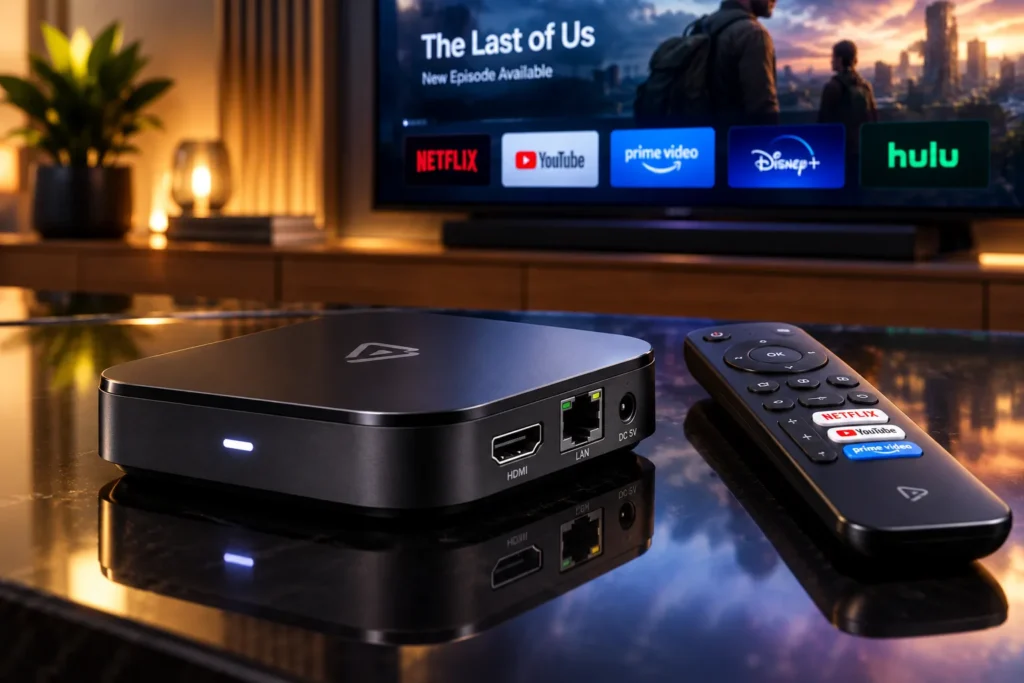
Search “IPTV box” and you will find plenty of people trying to sell you hardware. Before you buy any, it is worth knowing what the box actually does — because there is a good chance the device already sitting under your television does exactly the same job.
What is an IPTV box?
An IPTV box is a small computer that connects to your TV over HDMI, connects to your internet, and runs a player app. That app takes your subscription credentials and turns them into channels on screen.
That is the whole of it. The box is not the service, and it does not come with channels. It is a delivery mechanism — the same role your Firestick, Smart TV or phone already performs. Two separate purchases are involved in any IPTV setup: hardware (one-off, optional if you already own something suitable) and a subscription (recurring, and the part that actually provides the content).
Anyone selling you a box “with channels included” has bundled those two things together, which is worth being cautious about — more on that below.
Do you actually need one?
Honestly? Most people do not. If you own any of the following, you already have everything you need:
- An Amazon Firestick or Fire TV
- A Samsung or LG Smart TV from roughly the last five years
- An Apple TV, or any Android TV device
- A phone, tablet, laptop or desktop
All of those run standard IPTV players, and all of them work with our service. Buying a dedicated box on top would be spending money to duplicate a capability you have already paid for.
We would rather tell you that than sell you hardware you do not need. Try the service on what you own first — the free trial exists precisely so you can find out before spending anything at all.
When is a dedicated box genuinely worth buying?
There are real cases where a box earns its price:
- Your TV is older or not smart at all. The most common and most legitimate reason. A cheap box turns any screen with an HDMI port into a modern streaming TV.
- Your Smart TV is slow. Manufacturer software ages badly. A three-year-old TV that takes eight seconds to open an app is not going to improve, and a modest box will feel dramatically faster.
- You want an ethernet port. This is the underrated one. Most streaming sticks are Wi-Fi only, and wired connections solve more streaming problems than any other single change.
- You want a specific player app. Some players run better, or only run, on Android-based hardware.
- Your TV’s app store is restrictive. Certain Smart TV platforms simply do not carry the player you want.
If none of those describe you, save the money.
How do the options compare?
Your Smart TV’s built-in apps
Cheapest option, because it costs nothing. No extra remote, no extra box, no extra cable. The trade-offs are performance that degrades as the TV ages, and an app selection controlled by the manufacturer. Fine for most people, especially on a recent set.
Streaming sticks
Firestick and similar devices are inexpensive, tiny, and genuinely good at this. They are the most common way people watch IPTV in Canada, and for good reason. The main limitations are Wi-Fi-only connectivity on most models and limited storage, which matters if you install several apps.
Dedicated Android boxes
More expensive, more capable. Better processors, more memory, usually an ethernet port, often expandable storage. This is the category worth buying if you have a specific reason from the list above. NVIDIA Shield sits at the premium end; plenty of cheaper Android TV boxes do the job well.
MAG and Formuler boxes
Purpose-built IPTV hardware rather than general streaming devices. They do one job and do it reliably, with simple interfaces that suit less technical viewers. The trade-off is that they are less useful for anything other than IPTV. Both work with our service.
Phones, tablets and computers
Free, immediate, and the fastest way to test a service before committing to any hardware decision at all. Not a long-term living-room solution, but ideal for a trial.
What should you look for in a box?
Ignore the channel-count claims on the packaging — those have nothing to do with the hardware. These are the specifications that actually change your experience:
- An ethernet port. The single most valuable feature. Wired beats Wi-Fi for live streaming every time, and it eliminates the most common cause of buffering.
- At least 2GB of RAM. Below that, player apps with large channel lists become sluggish and prone to crashing.
- Proper 4K and HDR support, if you have a 4K TV and intend to watch sport in it.
- Certified Android TV rather than a generic build. Certified devices get the official app store and real security updates. Generic boxes often run outdated, unsupported software.
- A remote you can live with. Sounds trivial until you are navigating a 25,000-channel list with a bad one.
What should you avoid?
One category deserves a direct warning: “fully loaded” or “preloaded” boxes, sold with apps and channel lists already installed.
These are marketed as a shortcut — pay once, plug in, never pay again. In practice the bundled sources stop working quickly, the software is often outdated and unpatched, and you have no idea what else was installed on a device that now sits permanently on your home network. There is also no support: the seller’s involvement ended when the box shipped.
Buy clean hardware from a normal retailer, and buy a subscription separately from a provider you can actually contact. The two-purchase model is not an inconvenience — it is what lets you replace either half independently when something goes wrong. Our safety guide covers the wider set of red flags worth knowing.
What does it cost?
Hardware pricing moves constantly, so treat these as rough bands rather than quotes. In Canada you can generally expect a streaming stick at the low end, a mid-range Android TV box in the middle, and premium devices like the NVIDIA Shield at the top. All are one-off purchases you own outright — unlike a cable box, there is no monthly rental.
The subscription is the recurring part. Ours:
- 3 months — $29 CAD ($9.67 a month)
- 6 months — $49 CAD ($8.17 a month)
- 12 months — $79 CAD ($6.58 a month)
- Lifetime — $299 CAD, paid once
Every plan includes one simultaneous connection, and current figures are always on the pricing section. If you are weighing the total cost of switching, the cost guide goes through it in more detail.
How do you set one up?
- Connect the box to a free HDMI port and to power.
- Get it online — ethernet if the box has a port and you can reach the router, otherwise Wi-Fi.
- Install a player — TiviMate, IPTV Smarters, Kodi, or any Xtream-compatible app from the official store.
- Enter your credentials, which we email you after signup.
- Let the channel list and guide load the first time — this takes a minute or two, and only happens once.
If you would rather not do any of that, say so when you order and our team will install and activate the app for you at no charge. Plenty of customers take us up on it.
On speeds: budget around 10 Mbps for HD and 25 Mbps or more for 4K. Stability matters more than headline speed, which is why the ethernet advice keeps coming up. Our buffering guide covers the rest.
Which devices work with ProIPTV Canada?
Effectively anything that runs a standard IPTV player: Amazon Firestick and Fire TV, Android TV boxes, NVIDIA Shield, Samsung and LG Smart TVs, Apple TV, iPhone and iPad, Android phones and tablets, MAG and Formuler boxes, Windows PCs and Mac.
We deliberately do not require a proprietary app, which means two things: you can use whichever player you prefer, and your setup survives changing hardware later. You can install the app on as many devices as you like — the plan governs how many stream at the same moment, which is one.
Frequently asked questions
Do I need an IPTV box to use IPTV?
No. Any Smart TV, streaming stick, phone, tablet or computer that runs a standard player will work. A box is only necessary if your TV is old, slow, or lacks the app you want.
Does the box come with channels?
No — and be wary of any seller claiming otherwise. Hardware and subscription are separate purchases. A box advertised with channels included is the “fully loaded” category described above.
Is a Firestick good enough, or should I buy a proper box?
A Firestick is genuinely good enough for most people and is the most popular option in Canada. Upgrade to a box if you need an ethernet port, more speed, or more storage.
What is the difference between a MAG box and an Android box?
A MAG is purpose-built for IPTV with a simple interface and little else. An Android box is a general-purpose streaming device that also runs other apps. MAG suits people who want one simple job done reliably; Android suits people who want flexibility.
Can I move my subscription to a different box later?
Yes. Your credentials are not tied to hardware. Install a player on the new device, sign in, and carry on — no charge, no reactivation.
Do I need a VPN on an IPTV box?
Secure streaming access is included with our service, so you do not need to buy or configure a separate VPN app on the device.
Can I test before buying hardware?
Yes, and you should. Run the free trial on a phone or laptop first — 24 hours, no credit card. If the service suits you, then decide whether hardware is worth it.
The short version
An IPTV box is optional. Most Canadian households already own a device that does the job, and the honest first step is testing on what you have rather than buying hardware on spec. If you do need one, prioritise an ethernet port and 2GB of RAM over channel-count claims on the packaging, and avoid anything sold “preloaded”.
Test it tonight on the screen you already own with our free trial, check the FAQ for setup details, or email us and a real person will answer.