Best IPTV Player Apps in Canada (2026): TiviMate, IPTV Smarters and More
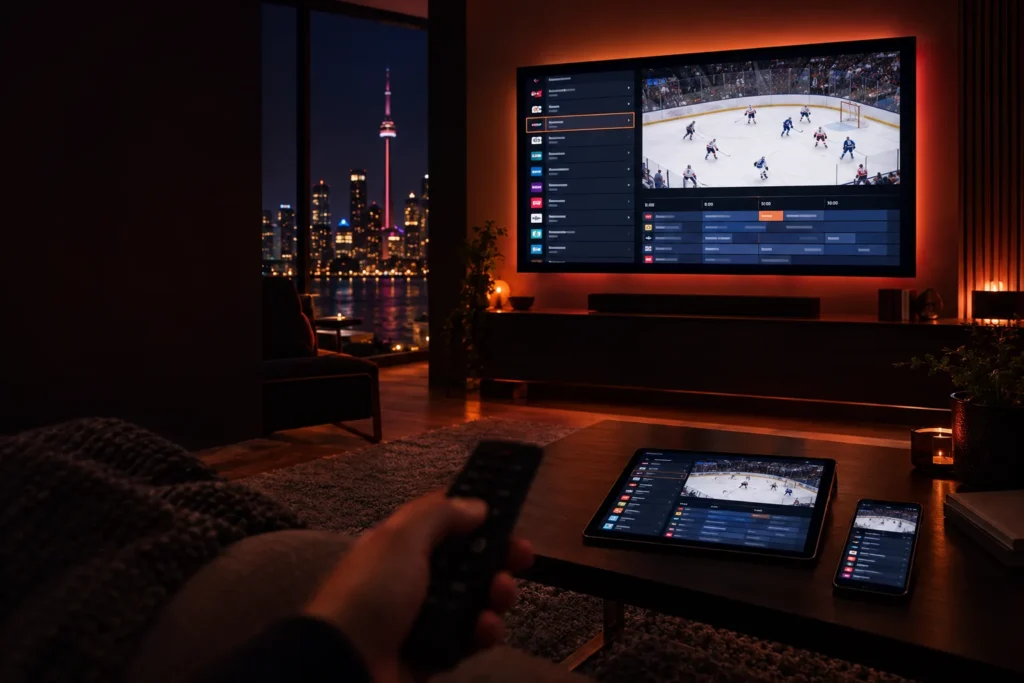
Most people assume an IPTV subscription comes with its own app. It does not. A subscription is a set of login details, and you type them into a separate player app that shows the channels, the TV guide and the movie library. That app decides how fast channels switch, how good the guide looks and whether you can record a game. This guide compares the player apps that matter in Canada, and tells you which one to pick for the device you actually own.
The short answer: on a Fire TV Stick 4K Max, Android TV or Google TV box, use TiviMate. On an iPhone, iPad, Android phone or Windows and Mac computer, use IPTV Smarters Pro. On a Samsung or LG Smart TV, use a player from the TV’s own app store. For a quick test on a computer, VLC is enough.
What does an IPTV player app actually do?
A player app is the screen you look at. It takes the details we send you and turns them into something that feels like television: a channel list, a scrolling guide, favourites, search and a library of films and series. The same subscription works in any app that understands the format, so choosing a player is about comfort, not about getting a different service.
Most modern players ask for Xtream codes, which are a server address, a username and a password. Others accept an M3U link, a single web address that holds your channel list. Our guide to getting IPTV explains both formats, and we send your details in whichever one your app expects.
Which IPTV player apps are worth using?
| App | Runs on | Best for | Main drawback |
|---|---|---|---|
| TiviMate | Fire OS, Android TV, Google TV, Nvidia Shield | The best TV guide on a big screen | Android-based devices only |
| IPTV Smarters Pro | iPhone, iPad, Android, Windows, Mac and several TV platforms | One app on every device | Less polished guide than TiviMate |
| Smart TV players | Samsung and LG app stores | No extra hardware | Some charge a small activation fee |
| Kodi | Almost everything | Tinkerers who want full control | Needs add-ons and setup time |
| VLC | Windows, Mac, Linux, phones | Testing a playlist quickly | No real TV guide |
TiviMate
TiviMate is the favourite on televisions, because it looks and behaves like a proper cable guide: channels in a grid, a clean timeline, quick switching and sensible favourites. The app is free to start with. Its developer also sells an optional Premium upgrade that adds extras such as recording and extra playlists, and that fee goes to the developer, not to us.
The catch is that TiviMate only runs on Android-based devices. That means a Fire TV Stick that runs Fire OS, an Android TV or Google TV box, or an Nvidia Shield. It is not available on iPhone, on Samsung or LG TVs, or on the newer Fire TV Sticks that run Vega OS. Our Firestick guide shows how to check which kind you have.
IPTV Smarters Pro
IPTV Smarters Pro is the all-rounder. It has versions for iPhone and iPad, Android, Windows, Mac and a number of TV platforms, so you can sign in with the same details everywhere. It supports Xtream codes directly and takes a couple of minutes to set up. The guide is functional rather than beautiful, which is a fair trade for how widely it works.
App store listings change often and clones with similar names exist, so install it only from your device’s official store, and message us if you cannot find it.
Players on Samsung and LG TVs
Samsung and LG TVs do not run Android apps, so you are limited to what is in the TV’s own store. Search for an IPTV player that supports Xtream codes or M3U links. Several are available, and some ask for a small one-time activation fee after a trial period. That fee goes to the app developer. If you are unsure which to pick for your model, ask us before paying for anything. Our Smart TV setup guide has the steps.
Kodi
Kodi is a free, open-source media centre that can play live TV through an add-on. It is powerful and endlessly customisable, but you have to install and configure an IPTV add-on before it shows a single channel. It suits people who enjoy tinkering. Everyone else will be happier with TiviMate or IPTV Smarters Pro.
VLC
VLC is a trusted, free media player from videolan.org. It plays an M3U link in seconds, which makes it ideal for checking that a free trial works. It does not show a full TV guide, so most people use it for testing rather than for everyday viewing.
Which player should you pick for your device?
- Fire TV Stick 4K Max, Fire TV Cube or an older Fire OS stick: TiviMate.
- Android TV or Google TV box: TiviMate, installed from the Google Play Store.
- Newer Fire TV Sticks running Vega OS: a player available in the Amazon Appstore, since TiviMate cannot be installed.
- iPhone and iPad: IPTV Smarters Pro or another Xtream-compatible player from the App Store.
- Android phone or tablet: IPTV Smarters Pro from Google Play.
- Samsung or LG Smart TV: a player from the TV’s own store, or plug in a Firestick for a smoother experience.
- Windows PC or Mac: IPTV Smarters Pro for daily use, VLC for a quick test.
- MAG or Formuler box: no app to choose. These boxes have a built-in portal that we activate with the box’s MAC address.
If you are still choosing hardware, our guide to IPTV boxes in Canada explains when a box is worth buying and when the device you own is already enough.
What should you look for in a good player?
- Fast channel switching. Changing channels should take about a second or two, not five.
- A proper TV guide. The guide should load quickly and let you jump to a time or a channel without lag.
- Favourites and groups. With thousands of channels, being able to hide most of them is the feature you will use every day.
- Stability. The app should not crash or restart when you leave it running for hours during a game.
- Xtream codes support. It loads the guide and the film library automatically, which M3U links do less smoothly in some apps.
- A trusted source. It should come from an official app store, or from a download address given to you by a provider you trust.
What should you avoid?
- Apps from random websites or video descriptions. A player you install from an unknown link runs on your home network and can read your login details.
- Paying for an app before testing the service. Take a free trial first, using the free version of the player. Upgrade only if you find you need the extras.
- “Lifetime” app offers from strangers. Prices for genuine apps are set by their developers. A reseller offering a suspiciously cheap key is a warning sign.
- Providers that lock you into their own app. You should be free to use any compatible player, and to change it later.
For the wider picture on staying safe, read our guides on whether IPTV is safe and how to buy IPTV safely.
Does the player affect buffering?
A little, but far less than people think. A slow app on an old device can make channel changes feel sluggish, and a better player on a faster stick helps. But if a stream actually freezes, the cause is almost always the connection between your router and the TV. Check your speed at the TV first, using our guide to internet speed for IPTV, then work through how to fix IPTV buffering before you blame the app.
Frequently asked questions
Do I have to use the app you recommend?
No. Our service works with any Xtream-compatible player, so you are free to use the one you prefer and to switch whenever you like.
Is TiviMate free?
The app can be used for free, and its developer sells an optional Premium upgrade with extra features. Check the developer’s current price in the app, since it is set by them and can change.
Can I use more than one app with the same subscription?
Yes. You can install different apps on different devices, for example TiviMate on the living-room stick and IPTV Smarters Pro on your phone. Every plan includes one simultaneous connection, so one screen can be playing at a time.
Why can I not find the app in my app store?
Availability depends on your device and changes over time. Android-only apps such as TiviMate are not offered on iPhone or on Samsung and LG TVs. Message us with your device model and we will point you to a player that currently works.
Will you set the app up for me?
Yes. Tell us your device when you contact us on WhatsApp or at support@proiptv.ca, and our team will install and activate the player at no charge.
The short version
Pick the player that matches your device: TiviMate on Fire OS and Android TV, IPTV Smarters Pro on phones and computers, a store player on Samsung and LG, and VLC for quick tests. Install it from an official store, start with the free version, and never pay for an app before the service has proven itself.
The easiest way to try a player is the 24-hour free trial, with no credit card and the full service. Compare terms on the pricing page, or follow our installation guide for every device.