Internet Speed for IPTV in Canada: How Many Mbps You Really Need (2026)
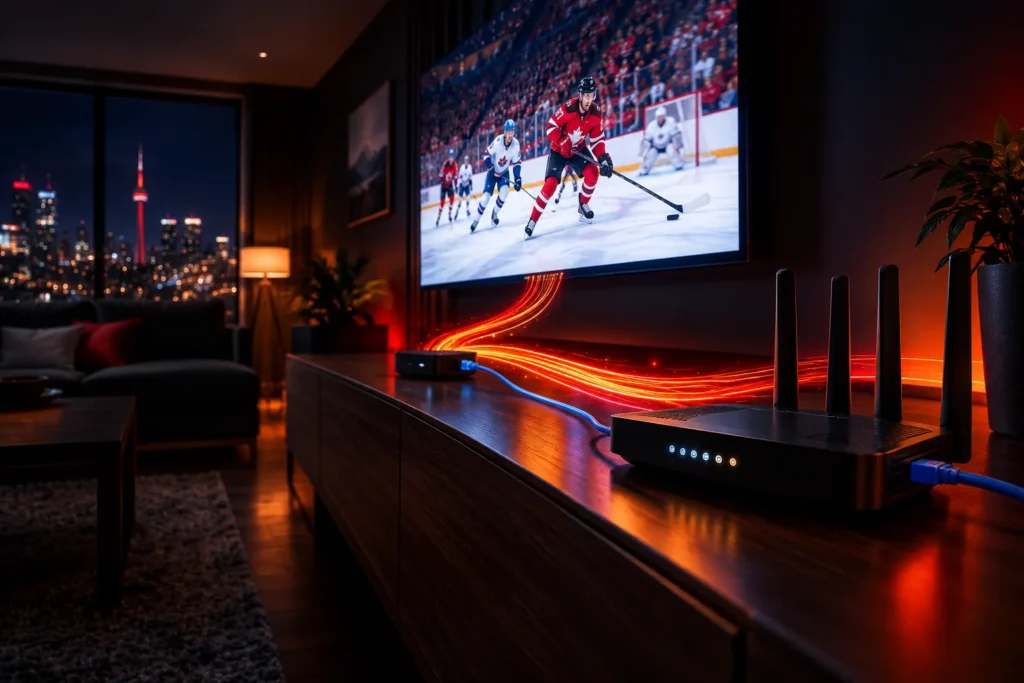
Most people asking how much internet speed IPTV needs have already had a stream freeze in the middle of something that mattered. The frustrating part is that the answer printed on your internet bill is rarely the problem. This guide gives you the real numbers for Canadian homes, explains why a fast plan can still buffer, and shows you how to test what your connection actually delivers to the TV.
The short answer: plan for about 10 Mbps per screen for Full HD and 25 Mbps per screen for 4K. A household streaming on three screens at once should have 50 Mbps or more. Those figures include headroom for evening peak hours — the stream itself uses less, which is exactly why the headroom matters.
How much internet speed does IPTV need?
Speed requirements scale with picture quality. A live channel in standard definition is light; the same channel in 4K moves several times more data every second. The table below shows roughly what a single stream uses, and what we recommend your connection can reliably deliver for that stream.
| Picture quality | Typical stream uses | We recommend per screen |
|---|---|---|
| SD (480p) | about 2–3 Mbps | 5 Mbps |
| HD (720p) | about 4–5 Mbps | 8 Mbps |
| Full HD (1080p) | about 6–8 Mbps | 10 Mbps |
| 4K (Ultra HD) | about 15–20 Mbps | 25 Mbps |
The “typical” column is a ballpark, not a guarantee. Actual usage varies by channel, by how much movement is on screen, and by the app you watch in. That variation is the main reason the right-hand column is higher.
Why recommend more speed than the stream uses?
Because a stream does not use a steady amount of bandwidth. It spikes. A calm news desk compresses beautifully; a hockey game, with fast skating, a moving camera and a crowd behind it, needs far more data to look sharp. Live sport is where under-provisioned connections fail first, and it is usually the moment you least want them to.
The second reason is time of day. The speed you measure at 2pm on a Tuesday is not the speed you get at 9pm on a Saturday, when your whole street is streaming. Neighbourhood networks — particularly cable internet, where homes share capacity — slow down in the evening. Headroom is what keeps your picture stable through that dip.
How much speed does a whole household need?
Your IPTV stream is rarely the only thing on the connection. Phones refresh in the background, someone is on a video call, a game console downloads an update. Size your plan for everything that happens at once in your busiest hour:
| Household | What is running at once | Plan speed to look for |
|---|---|---|
| Single viewer | One Full HD stream, a phone | 15–25 Mbps |
| Couple | One Full HD stream, video calls, two phones | 25–50 Mbps |
| Family | A 4K stream, an HD stream, phones, gaming | 50–75 Mbps |
| Busy home or home office | 4K plus several HD streams and work calls | 100 Mbps or more |
One practical note: every ProIPTV plan includes one simultaneous connection, meaning one IPTV stream playing at a time on your account. The household table counts everything your home streams together — IPTV, Netflix, YouTube and the rest — because they all share the same internet pipe.
Is your Canadian internet plan fast enough?
For most households in Canadian cities, yes — comfortably. The CRTC’s universal service objective for Canadian homes is 50 Mbps download and 10 Mbps upload, and a typical urban cable or fibre plan is well above that. The real differences come from the type of connection you have:
- Fibre to the home. The best option for IPTV. Speeds hold up in the evening and latency is low. If fibre reaches your street, it removes most of the variables in this guide.
- Cable internet. Fast and very common in Canadian cities. Because capacity is shared with your neighbourhood, evening slowdowns are the thing to watch for.
- DSL. Speed depends heavily on your distance from the provider’s equipment. Fine for HD on a single screen; often not enough for 4K or several screens.
- Fixed wireless. Common in rural areas. It can work well for HD, but speed varies with weather and signal, and plans are more likely to carry data caps.
- Satellite. Newer low-orbit satellite services generally handle streaming well. Older geostationary satellite internet has high latency and tight data caps, and is a poor fit for live TV.
Why does IPTV buffer on a fast connection?
This is the most common complaint we hear, and it is almost never the plan speed. When someone pays for 500 Mbps and still sees buffering, the bottleneck is nearly always somewhere between the router and the television. The usual suspects, in order of how often they turn out to be the cause:
- Weak Wi-Fi at the TV. The speed your plan promises arrives at the router. Walls, floors, distance and neighbouring networks can cut it dramatically by the time it reaches a streaming stick in another room.
- Evening congestion. Your provider’s network gets busier at night. If buffering only happens in the evening, this is the prime suspect.
- An ageing router. Older routers struggle with several devices and modern Wi-Fi speeds. A router several years old can be the ceiling on everything else.
- A VPN. A VPN adds overhead and can route your traffic through a distant server. If you run one, test with it switched off.
- The streaming device itself. Older or entry-level streaming sticks have weaker Wi-Fi radios and less processing power than a current model or a Smart TV’s built-in app.
For step-by-step fixes, our guide on how to fix IPTV buffering walks through each one.
Is a wired connection better than Wi-Fi for IPTV?
Yes, and by more than most people expect. An Ethernet cable delivers close to your full plan speed with no interference, and it removes the most common cause of buffering in one move. If your TV or streaming box sits near the router, wiring it is the single best upgrade you can make.
When a cable is not practical, you still have good options:
- Use the 5 GHz band. It is much faster than 2.4 GHz over short distances and far less crowded. 2.4 GHz reaches further but is shared with your neighbours’ networks.
- Add a mesh system. Mesh Wi-Fi places a node near the TV so the signal does not have to cross the whole house.
- Try powerline or MoCA adapters. They carry a wired connection over your electrical wiring or existing coaxial cable — useful in older Canadian homes where running Ethernet is awkward.
- Get an Ethernet adapter for your stick. Many streaming sticks, including Fire TV models, accept a small Ethernet adapter.
If you are still choosing hardware, our guide to IPTV boxes in Canada covers what actually makes a difference.
How do you test your real internet speed for IPTV?
A speed test on your phone next to the router tells you what your plan can do. It tells you almost nothing about what reaches the TV. To get a useful number:
- Test from the device you watch on, or as close to it as you can. Most Smart TVs and streaming sticks have a web browser that can open a speed-test site.
- Test in the evening, between 8pm and 10pm. That is the speed that matters, because it is when you watch.
- Run it three times and look at the lowest result, not the best one.
- Compare wired and wireless if you can. A big gap between them tells you Wi-Fi is your bottleneck, not your plan.
If your evening result at the TV clears the recommended figure for the quality you want, your connection is ready. If it does not, fix the Wi-Fi before paying for a faster plan — it is usually the cheaper fix.
Does upload speed matter for IPTV?
Barely. Watching TV is almost entirely download. Upload speed matters for video calls, uploading files and online gaming, but a modest upload figure will not affect your IPTV picture. What matters more for live streams than people realise is stability: a connection that holds a steady 25 Mbps is better for live TV than one that swings between 5 and 200.
How much data does IPTV use?
Most Canadian urban plans are unlimited, so this only matters if yours has a cap — which is still common on some rural, fixed wireless and satellite plans. As a rough guide, streaming uses about 1 GB an hour in SD, around 3 GB an hour in Full HD, and 7 GB an hour or more in 4K. Two hours of Full HD every evening adds up to roughly 180 GB a month, before anything else in the house is counted.
If you are on a capped plan, set your app to Full HD rather than 4K on smaller screens. On anything under about 50 inches, most people cannot tell the difference from the sofa.
Frequently asked questions
Is 10 Mbps enough for IPTV?
For one Full HD stream, yes, provided those 10 Mbps actually reach the TV in the evening. It is not enough for 4K, and it leaves little room if anyone else in the home is online at the same time.
What internet speed do I need for 4K IPTV?
Plan for 25 Mbps per 4K screen, measured at the television during evening hours. Add more for everything else your household runs at the same time.
Will a faster internet plan stop buffering?
Only if your plan is genuinely the bottleneck, which is less common than it seems. If a speed test at the TV shows far less than your plan’s advertised speed, the problem is your Wi-Fi or router, and a faster plan will not fix it.
Can I watch IPTV on rural internet in Canada?
Usually, yes. Fixed wireless and newer satellite services can handle HD streaming. Check whether your plan has a data cap, and choose Full HD over 4K if it does.
How can I check my connection works before paying?
Use a trial. Our 24-hour free trial is the full service, so you can test it on your own connection and devices during the evening hours you normally watch — which is the only test that really counts.
The short version
Aim for 10 Mbps per screen for Full HD, 25 Mbps for 4K, and 50 Mbps or more if several people stream at once. Measure at the TV, in the evening, and fix your Wi-Fi before upgrading your plan. Most buffering problems live between the router and the screen, not in the speed you pay for.
The easiest way to know for sure is to test it yourself: start the free trial, see our plans and prices, or read the FAQ. If something still is not working, message us and a real person will help you sort it out.